
In the world of modern retail and hospitality, Point-of-Sale (POS) terminals are the backbone of customer transactions. A fast, responsive, and durable display is essential to ensure a seamless checkout experience. Whether used in retail, restaurants, or kiosks, POS displays must offer brightness, clarity, durability, and often, touchscreen functionality. As a trusted TFT LCD module manufacturer, FlyLucky helps B2B clients design and implement display solutions tailored to their POS applications.
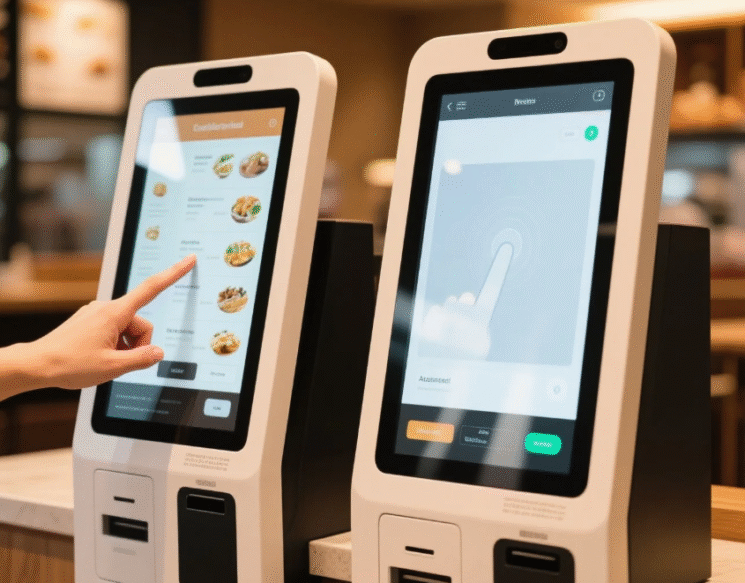
capacitive vs resistive touch, POS kiosk, touchscreen UI, food order machine[/caption]
| Feature | TFT LCD Advantages | OLED Considerations |
|---|---|---|
| ⏱️ Lifespan | >50,000 hours, no burn-in | Prone to burn-in during static use |
| 💡 Brightness | High brightness (800+ nits) for sunlight readability | May dim over time, lower peak brightness |
| 📊 Cost Efficiency | Mature supply chain, cost-effective | Higher cost, especially for large sizes |
| ❄️ Temp Resistance | Better tolerance to extreme POS environments | Sensitive to heat and cold |
| 🚪 Durability | Scratch-resistant cover glass, robust enclosure | Flexible but less suited for rugged use cases |
POS displays typically use TFT LCD technology for its balance of cost, performance, and durability. TFT (Thin Film Transistor) architecture enables fast refresh rates, full-color clarity, and wide-angle viewing. Capacitive touch panels offer smooth, smartphone-like interaction, while resistive touch is ideal for gloved operation in industrial retail environments. Our displays support multi-interface compatibility, ensuring seamless integration into various terminal boards.
Backlight optimization, anti-glare coatings, and EMI shielding are added to improve outdoor visibility and reduce interference in high-traffic areas.
FlyLucky’s 800+ nit LCDs ensure visibility in indoor lighting and outdoor kiosks, even in direct sunlight.
We provide capacitive and resistive touch options with cover lens customization (tempered glass, AR coating).
Our modules are tested for impact, vibration, and electrostatic discharge (ESD) resistance.
Stable IC sourcing and 5~7 years supply guarantee ensure long-term support for embedded POS systems.
Q: Should I use capacitive or resistive touch for POS?
A: Capacitive is more responsive and modern; resistive is better for gloves or stylus use.
Q: What size display is best for small terminals?
A: 4.3″ or 5″ is ideal for compact card readers or vending payment interfaces.
Q: Can I request custom cover glass or brightness levels?
A: Yes! FlyLucky supports full customization from touch layer to backlight luminance.
From checkout counters to smart kiosks, FlyLucky’s display modules empower POS systems with high brightness, rugged reliability, and responsive touch. Trusted by global B2B partners, we deliver tailor-fit LCD solutions built for performance and durability.