
A Practical Guide for Engineers, UI Designers, and Procurement Teams


Introduction

In industrial systems, choosing the right display size—such as 4.3-inch or 7-inch TFT displays—is only part of the challenge.
The real impact comes from how well the UI/UX design adapts to the screen size, user behavior, and operating environment.

A poorly designed HMI can increase operator errors, slow response time, and even create safety risks. Research shows that ineffective HMI design contributes to over 40% of abnormal industrial situations.

This guide explains how to design effective HMI interfaces specifically for 4.3″ and 7″ displays, ensuring usability, efficiency, and long-term system reliability.


Why UI/UX Design Matters in Industrial HMI

Industrial HMIs are not just visual panels—they are decision-making tools.

Operators rely on displays to:

      • Monitor real-time data

      • Respond to alarms

      • Control machinery

      • Prevent failures

    Poor UI design can result in:

        • Slower reaction time

        • Increased operator fatigue

        • Higher error rates

        • Production downtime

      Well-designed HMIs can reduce operator errors by up to 40–60%.


      Key Differences: 4.3″ vs 7″ Display UI Design

      4.3-inch Displays (Compact UI Design)

      Best suited for:

          • Simple control systems

          • Limited data display

          • Close-range interaction

        UI characteristics:

            • Minimal layout (single-function screens)

            • Large buttons required

            • Limited data density

          👉 Design focus: clarity over functionalit
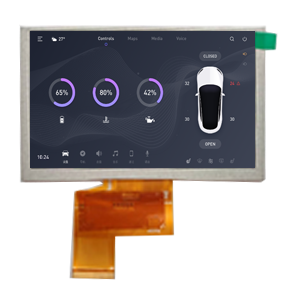
          TFT 4.3 inch LCD display TFT 4.3 inch LCD display[/caption]


          7-inch Displays (Advanced HMI Design)

          Best suited for:

              • Multi-function control panels

              • Data visualization

              • Touch-based workflows

            UI characteristics:

                • Multi-layer navigation

                • Dashboard-style layouts

                • More detailed system feedback

              👉 Design focus: information hierarchy and usability
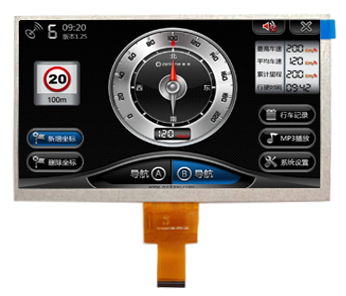
               
              Automotive Grade TFT Displays
              Automotive Grade TFT Displays


              Core UI/UX Design Principles

              1. Information Hierarchy

              Organize content from most critical to least important.

              Best practice:

                  • Top: alarms & critical data

                  • Middle: real-time process values

                  • Bottom: controls & navigation

                Clear hierarchy improves decision speed and situational awareness.


                2. Simplicity & Minimalism

                Avoid clutter.

                    • Show only actionable data

                    • Remove decorative elements

                    • Focus on operational clarity

                  Overloaded screens increase cognitive load and errors.


                  3. Touch-Friendly Design

                  Especially critical for industrial environments.

                  Key rules:

                      • Large touch targets

                      • Adequate spacing

                      • Immediate feedback

                    Operators often wear gloves → small UI elements fail in real use.
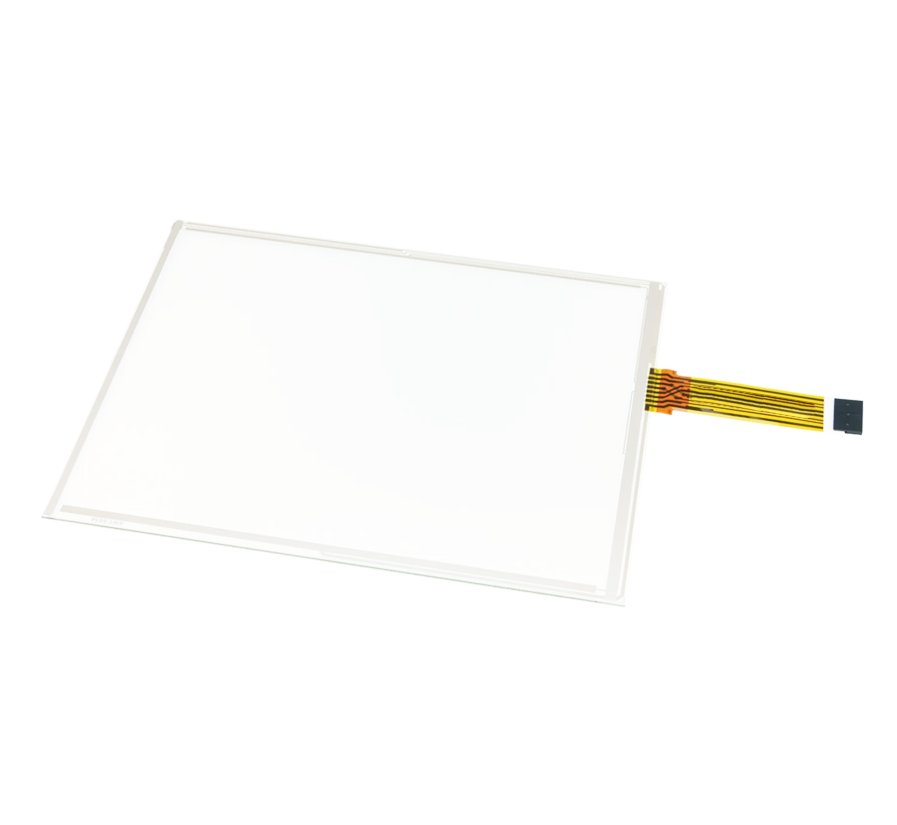
                    Discover how resistive touch LCD displays work and why they remain ideal for industrial, medical, and harsh environments. Discover how resistive touch LCD displays work and why they remain ideal for industrial, medical, and harsh environments.[/caption]


                    4. Color Usage Strategy

                    Follow industrial standards:

                        • Gray → normal state

                        • Red → alarm

                        • Yellow → warning

                        • Blue → information

                      Avoid excessive colors—use color only for meaning.


                      5. Consistency Across Screens

                      Consistency reduces training time and errors.

                          • Same layout structure

                          • Same button positions

                          • Same color logic

                        Inconsistent UI increases operator hesitation and mistakes.


                        UI Design Strategies by Screen Size

                        Designing for 4.3″ Displays

                        Constraints:

                            • Limited screen space

                            • Lower resolution

                            • Close viewing distance

                          Best practices:

                              • Use single-function screens

                              • Avoid nested menus

                              • Use icons instead of text where possible

                              • Limit elements per screen (3–5 max)

                            👉 Ideal for:

                                • Portable devices

                                • Simple controllers

                                • Status displays


                              Designing for 7″ Displays

                              Advantages:

                                  • Larger UI space

                                  • Better readability

                                  • Multi-zone layouts

                                Best practices:

                                    • Use dashboard-style interfaces

                                    • Divide screen into zones

                                    • Enable multi-level navigation

                                    • Display trends, charts, and system data

                                  👉 Ideal for:

                                      • Industrial HMIs

                                      • Automation systems

                                      • Control panels


                                    Human Factors & Industrial Environment

                                    HMI design must consider real-world conditions:

                                        • Gloves usage

                                        • High brightness environments

                                        • Water / dust exposure

                                        • Long working hours

                                      Design implications:

                                          • Increase brightness (≥300–500 nits for indoor industrial use)

                                          • Improve contrast

                                          • Avoid small fonts

                                          • Ensure ergonomic placement


                                        Common UI Design Mistakes

                                            • Overloading small screens (especially 4.3″)

                                            • Using too many colors

                                            • Ignoring touch accuracy

                                            • Poor navigation structure

                                            • Inconsistent layout

                                            • Designing for aesthetics instead of usability


                                          Engineering + Procurement Perspective

                                          Engineers should verify:

                                              • UI scalability across display sizes

                                              • Interface responsiveness

                                              • Touch performance under real conditions

                                            Procurement should verify:

                                                • Display brightness suitability

                                                • Touch technology compatibility

                                                • Long-term UI maintainability

                                              A poorly matched UI can cause hidden redesign costs and user complaints.


                                              Best Practice Checklist

                                              ✔ Match UI complexity to screen size
                                              ✔ Prioritize clarity over aesthetics
                                              ✔ Use standardized color coding
                                              ✔ Design for gloves and harsh environments
                                              ✔ Keep navigation simple and consistent
                                              ✔ Test UI in real operating conditions


                                              Typical Applications

                                              4.3″ UI Applications:

                                                  • Handheld testers

                                                  • Small embedded devices

                                                  • Auxiliary control panels

                                                7″ UI Applications:

                                                    • Industrial control systems

                                                    • PLC HMIs

                                                    • Factory automation panels

                                                    • Smart equipment dashboards


                                                  Conclusion

                                                  Designing HMI interfaces for 4.3″ and 7″ displays is not just a UI task—it is a system-level decision affecting usability, efficiency, and safety.

                                                      • 4.3″ → simple, focused, compact

                                                      • 7″ → scalable, interactive, information-rich

                                                    The key is not choosing the bigger screen—but designing the right experience for the operator.

                                                    A well-designed HMI reduces errors, improves productivity, and ensures long-term system success.

                                                    How to Choose Between 4.3″ and 7″ TFT Displays for Industrial Control Systems

                                                    Ask For A Quick Quote

                                                    We will contact you within 1 working day, please pay attention to the email with the suffix “sales@flyluckylcd.com”